Choosing the best PDF editor app isn’t just about features — it’s also about whether the app is free, freemium, or fully paid. Most users search for terms like “free PDF editor app” or “PDF editor without subscription”, but the reality is:
👉 Most PDF apps are freemium — free for viewing, but paid for editing.
Pricing: Freemium (Powerful Free Version + Optional Upgrade)
Best for: Users who want a feature-rich and affordable PDF editor
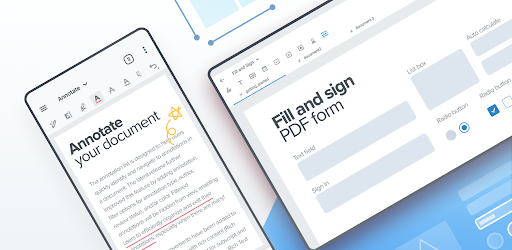
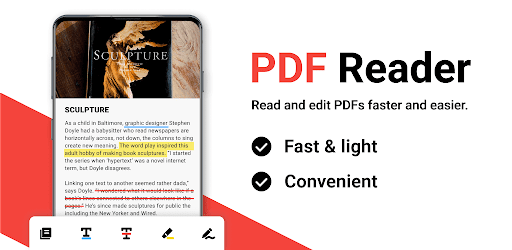
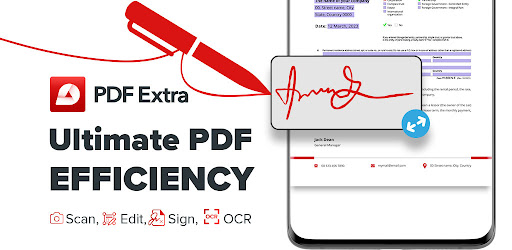
This rising app stands out as one of the best PDF editor alternatives thanks to its complete feature set and smooth user experience. Unlike many competitors, it offers a strong balance between free functionality and premium tools.
Pros
- Comprehensive features comparable to premium apps
- Clean and modern UI
- Excellent performance for a newer app
- Great value compared to expensive competitors
Cons
- Still building brand recognition
- Cloud ecosystem not as advanced as Adobe
👉 Verdict: One of the best affordable PDF editor apps and a strong choice if you want a powerful PDF editor without high subscription costs
Pricing: Freemium (Subscription Required for Editing)
Best for: Business and professional users
Adobe Acrobat Reader remains the industry-standard PDF editor with powerful tools and top-tier compatibility.
Pros
- Best-in-class compatibility
- Reliable and secure
- Full professional toolkit
Cons
- Expensive subscription required for editing
- Heavy app with high resource usage
👉 Verdict: Best for professionals, but not ideal if you want a free PDF editor without subscription
Pricing: Freemium (Free with Ads + Premium Upgrade)
Best for: Productivity and document workflows
WPS Office combines PDF tools with a full office suite.
Pros
- All-in-one document solution
- Supports multiple formats
- Good for productivity tasks
Cons
- Ads in free version
- Limited advanced PDF editing
👉 Verdict: Best free PDF reader with office tools
Pricing: Freemium
Best for: Fast performance and business use
Pros
- Lightweight and fast
- Strong security features
- Good Adobe alternative
Cons
- Paid features required for full editing
- Slightly complex interface
👉 Verdict: Best fast PDF editor alternative
Pricing: Free + Optional Premium
Best for: Collaboration and annotation
Pros
- Completely free core features
- Excellent annotation tools
- Cloud integration
Cons
- Limited editing capabilities
- UI could be improved
👉 Verdict: Best free PDF editor app for annotations
Pricing: Freemium
Best for: Filling and signing documents
Pros
- Strong fill & sign tools
- Easy to use
Cons
- Limited free features
- Some stability issues
👉 Verdict: Good PDF signing app
Pricing: Free (Optional Premium)
Best for: Reading PDFs and eBooks
Pros
- No ads
- Excellent reading experience
- Supports EPUB and other formats
Cons
- No editing features
👉 Verdict: Best free PDF reader for books
Pricing: Free + Ads
Best for: Simple PDF viewing
Pros
- Lightweight
- Fast and easy to use
Cons
- Very limited features
👉 Verdict: Best basic PDF viewer
Pricing: Freemium
Best for: Multi-purpose document handling
Pros
- Supports multiple file formats
- Includes scanning features
Cons
- Outdated interface
👉 Verdict: Good document reader app
Pricing: Freemium (Subscription for Full Features)
Best for: Affordable editing and OCR
Pros
- OCR support
- User-friendly interface
Cons
- Advanced tools require payment
👉 Verdict: Best budget PDF editor
When searching for a free PDF editor app, it’s important to understand how pricing works:
View PDF files
Highlight and annotate
Fill forms and sign documents
Edit PDF text and images
Convert PDF to Word/Excel
OCR (scan to editable text)
Advanced tools and cloud sync
- For professional use: Adobe Acrobat Reader
- Best value alternative: ⭐ PDF Reader
- For students and office work: WPS Office
- For free tools: Xodo
- For reading only: ReadEra
🔍 If you want the best PDF editor app in 2026, Adobe Acrobat is still the most powerful solution. However, if you're looking for a feature-rich, affordable PDF editor without a high subscription cost, the PDF Reader is one of the top choices worth trying.