In today's fast-paced digital world, our Android smartphones are more than just communication tools—they're our wallets, photo albums, work hubs, and entertainment centers. With increasing cyber threats like malware, ransomware, phishing scams, and spyware lurking in apps, downloads, and even public Wi-Fi, protecting your device has never been more essential. Junk files, cache buildup, and battery-draining background processes can also slow down your phone, making everyday tasks frustrating. That's where reliable antivirus and cleaner apps come in, offering robust security scans, real-time protection, and optimization tools to keep your Android device safe, fast, and private. 🌟
- Core Functions: Real-time antivirus scanning for viruses, malware, trojans, adware, and spyware; powerful junk and cache cleaner; RAM booster by disabling unnecessary background tasks; file manager for easy organization; and basic VPN for secure browsing.
- Unique Advantages: It explains in simple detail exactly what files or apps it's targeting for deletion, helping users avoid accidentally removing important data. The wireless file transfer feature lets you connect to other devices seamlessly, adding convenience for everyday use.
- Target Users: Perfect for casual Android users, students, or anyone tired of low storage warnings who also wants lightweight virus protection without premium costs.
- User Experience: The UI is clean and intuitive with minimal clutter—scans run quickly in the background without draining battery noticeably. Smooth navigation makes it accessible even for non-tech-savvy folks.
- Pricing Model: Primarily free with optional in-app purchases or ads; premium features unlock advanced cleaning and protection tools via subscription.
- Core Functions: Advanced antivirus with 100% detection against viruses, malware, adware, and ransomware; web protection against phishing and scams; scam protection for SMS and messaging apps; on-demand and real-time scans; built-in VPN (200MB/day free); app lock; and anti-theft tools.
- Unique Advantages: Outstanding privacy advisor and anomaly detection that flags suspicious app behavior early. The VPN, though limited in the base plan, provides anonymous browsing, while anti-theft features like remote lock and locate work reliably.
- Target Users: Ideal for professionals, frequent online shoppers, or travelers who need strong web and phishing protection alongside everyday malware defense.
- User Experience: Extremely smooth and lightweight—scans complete in seconds without slowing down your device. The interface is polished, with helpful notifications that don't overwhelm you.
- Pricing Model: Free version available for basic scanning; full premium features via annual subscription (often around $15-25/year per device), with generous trials.
- Core Functions: Real-time malware and virus protection; web shield for blocking malicious sites; junk file cleaner and speed booster; Wi-Fi inspector; photo vault; app lock; data breach checker; and optional VPN.
- Unique Advantages: Strong free tier that includes essential scanning and cleaning without forcing upgrades immediately. Features like the network meter and privacy advisor give deep insights into your device's vulnerabilities.
- Target Users: Great for students, families, or budget users who want robust free protection plus tools to maintain device performance over time.
- User Experience: Polished and engaging UI with quick scans and minimal performance hit. The free version has some ads, but navigation remains smooth and intuitive.
- Pricing Model: Generous free version with ads; premium subscription unlocks ad-free experience, unlimited VPN, and advanced features.
- Core Functions: Powerful malware and virus scanner/remover; real-time protection; web protection against phishing; scam text guard with AI; privacy audit; high-speed VPN option; and digital footprint scanner.
- Unique Advantages: Exceptional at detecting adware and PUPs that slow devices or invade privacy. It often catches threats before full installation and provides detailed reports on app behaviors.
- Target Users: Suited for users who download lots of apps, gamers, or those suspecting infections after sideloading APKs—anyone needing specialized cleanup.
- User Experience: Lightweight and efficient with quick scans that don't bog down your phone. The UI is straightforward, emphasizing clarity over flashy elements.
- Pricing Model: Free version for on-demand scans; premium subscription (with 7-day trial) for real-time protection, VPN, and advanced tools.
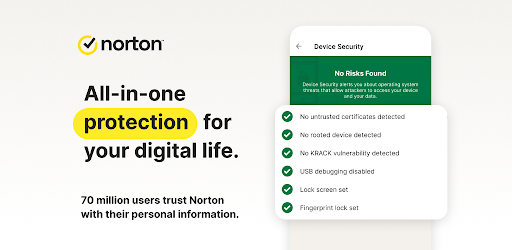
- Core Functions: AI-driven malware and virus scanning/cleaning; scam protection for calls, SMS, email, and web; web and safe search protection; App Advisor for Google Play; Wi-Fi security; VPN; and dark web monitoring in higher tiers.
- Unique Advantages: Excellent App Advisor that warns about risky apps before installation. Robust anti-phishing and multi-channel scam defense set it apart in today's fraud-heavy environment.
- Target Users: Business professionals, parents, or anyone concerned about identity theft and sophisticated scams targeting mobile users.
- User Experience: Smooth, reliable performance with an intuitive layout that makes managing security straightforward. Notifications are helpful without being intrusive.
- Pricing Model: Subscription-based with various tiers; often bundled in Norton 360 plans covering multiple devices, including VPN and extra privacy features.
Each of these five apps brings something valuable to the table for protecting and optimizing your Android device. Antivirus - Cleaner + VPN offers an accessible entry point with strong cleaning and basic antivirus, perfect for light users seeking quick wins on storage and speed. Bitdefender impresses with lab-leading detection and efficiency, suiting power users who prioritize performance alongside security. Avast provides a feature-rich free experience that's hard to beat for casual protection and maintenance. Malwarebytes acts as a specialized malware eradicator, great for thorough cleanups or as a complement to other tools. Finally, Norton 360 excels in scam defense and trusted all-around protection, ideal for those handling sensitive information. 🏅
Ultimately, download a couple, try their trials, and see what feels right for your lifestyle. Regular scans, cautious app downloads, and keeping your OS updated remain key habits no app can fully replace. Stay safe, keep your Android snappy, and enjoy peace of mind in our connected world! Remember, proactive protection today prevents headaches tomorrow. 🔒📱

Top Android Antivirus & Cleaner Apps: Keep Your Phone Secure and Fast

Secure Your Phone with Ease – Free Protection Awaits! 🛡️

Lock Down Your Phone: The 2025 Guide to Antivirus - Cleaner + VPN’s Epic Protection 🛡️

The Definitive Guide to the Best Free Antivirus Apps for Android in 2026

Ultimate Guide to Android Antivirus Apps for 2025: Secure Your Device Today!